How food logging works
How does an AI calorie tracker work?
An AI food calorie tracker turns a photo or meal description into a nutrition estimate. The review step is what turns that suggestion into a useful food log.
An AI calorie tracker estimates foods and portions from your input, then returns estimated calories and macros. In Zuli, you can review and edit those foods before saving them. A photo is a starting point: it does not measure every ingredient, cooking oil or exact food weight.
Published by the Zuli team. Product steps refer to Zuli's current workflow. Research references explain the category; they are not independent validation of Zuli or dietary advice.
From a food photo to a saved meal
1. Provide the meal information
Take a photo or select one from your gallery, or type a description such as “two eggs, toast and coffee with milk.” More useful input includes the foods, amounts you know and preparation details. A photo with food hidden beneath a sauce gives less information than a clear view of the plate.
Photo logging helps when you want a quick starting estimate. Text can be more informative when you cooked the meal and know what went in it. A packaged food can instead go through barcode lookup, where the task is to match a product and check its serving.
2. Read the estimated foods and amounts
Zuli's AI returns food entries with estimated nutrition. The entries include calories, protein, carbs and fat. Food recognition and quantity estimation are separate problems: identifying rice does not establish whether the serving weighs 100 grams or 250 grams.
Different AI calorie tracker apps use different models and information sources. This guide does not claim that Zuli measures depth, runs its AI entirely on your phone, or directly measures the energy contained in a meal. New photo and text analysis needs an internet connection.
3. Correct the result before saving
Check the food names, portions and units. In Zuli you can adjust the proposed entries and their calories or macros. If an ingredient is missing or an amount is wrong, correct it rather than assuming the photo contains enough information for the app to infer it.
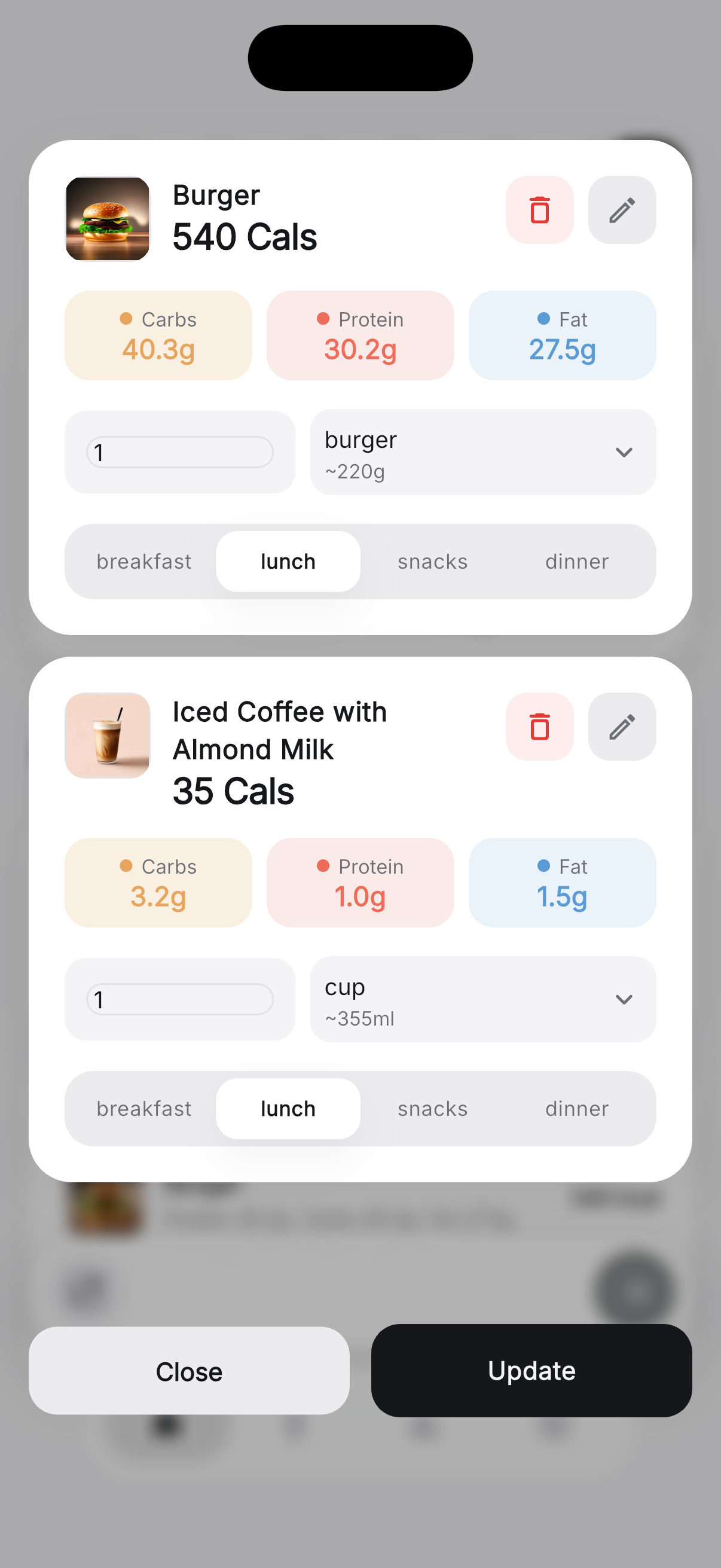
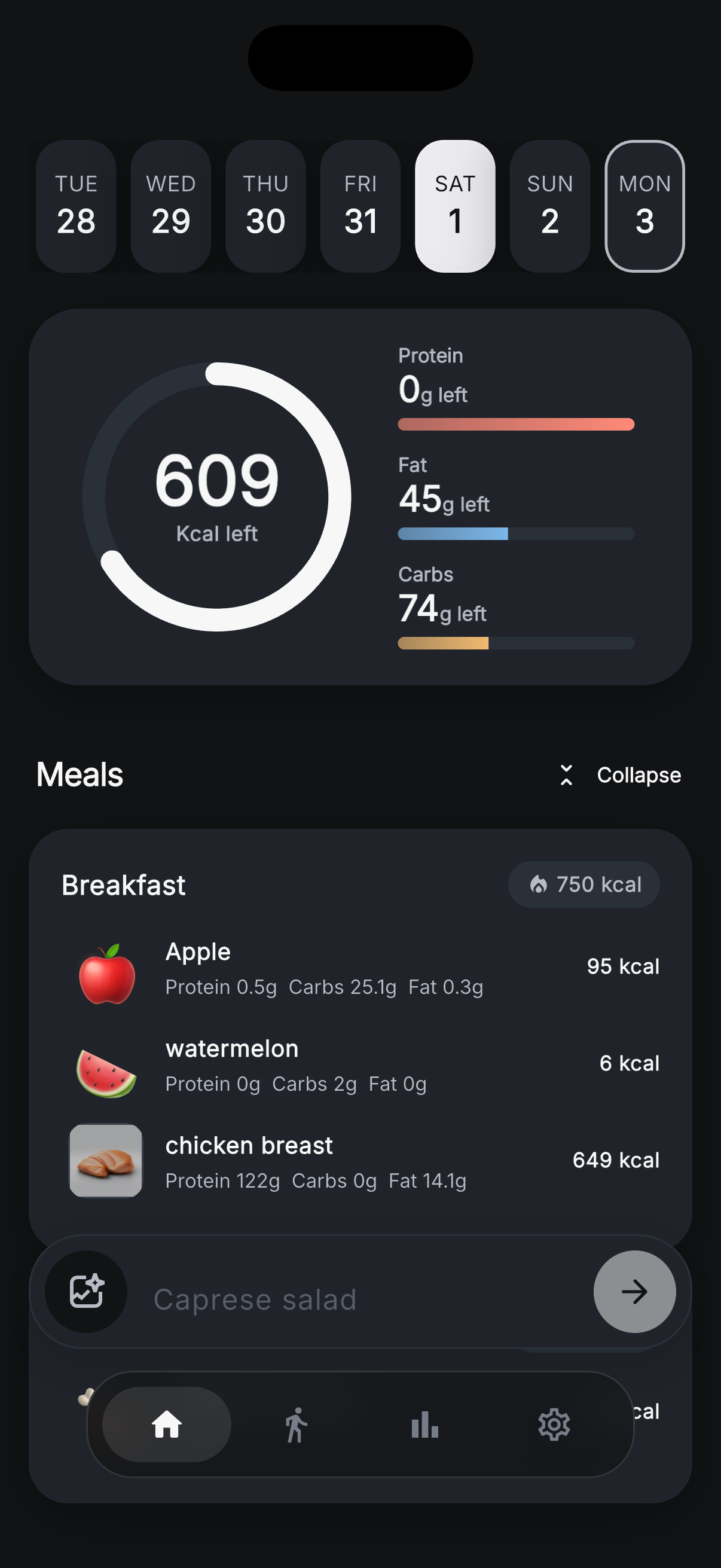
4. Save and review your day
After you save, the food contributes to your daily calorie and macro totals. Check the meal grouping and the day so the entry belongs where you intended. Weekly charts and the logging calendar then help you read your history across more than one day.
Is an AI calorie tracker accurate?
Accuracy depends on the meal, input, portion information and system used. A systematic review of image-based AI dietary assessment found results varied across food-image datasets and evaluation methods. Its results do not establish a universal accuracy percentage for consumer apps. Source: Shonkoff and colleagues, Annals of Medicine, 2023.
Zuli has no published independent accuracy benchmark. Treat its numbers as estimates that you can inspect and correct. A high food-recognition score would not, by itself, show that calories or portion weights are equally accurate. Read any percentage claim alongside the meals tested, the reference measurements and the error definition.
Why photo estimates can be wrong
- Hidden ingredients: oil, dressings and fillings may not be visible.
- Portion ambiguity: plate size, camera angle and food depth make exact weight hard to infer.
- Recipe differences: two similar-looking dishes can contain different amounts of fat, starch or sauce.
- Mixed foods: a curry, casserole or sandwich can conceal ingredient proportions.
- Preparation and units: raw and cooked weights or grams and servings may describe different amounts.
What would prove “most accurate”?
A useful comparison needs the same meals, known reference amounts, a description of how the foods were prepared, and results reported across the test set. It should separate the unedited photo estimate from a result corrected by a person. A single successful scan, a vendor testimonial or a food-recognition score cannot answer which app estimates calories best for your meals.
When choosing an app, check whether its workflow makes correcting mistakes easy. Our AI calorie tracker chooser compares practical access and features without awarding an unsupported accuracy winner.
Example: review a chicken, rice and vegetable plate
Suppose a photo suggests chicken breast, cooked rice and vegetables. Start by checking that these are the foods you ate. If the chicken was breaded, the rice contained butter, or the vegetables were cooked in oil, the appearance alone may not reveal those details.
Next, check the amounts. If you know the rice weighed 180 grams after cooking, use that information rather than accepting an estimated serving. Make sure the amount and preparation description refer to the same thing. Correct a duplicated food or an ingredient you did not eat before saving.
For a packaged sauce, check its label and the amount used. A listed serving is not necessarily the amount on your plate. The NIDDK explains the distinction between a label's serving size and the portion a person chooses to eat. Source: NIDDK portion guidance.
This example describes a review process, not a predicted calorie total. Without the actual recipe and quantities, inventing a precise number would undermine the reason for reviewing the estimate.
A short check before every save
- Confirm food names and preparation.
- Compare portions with amounts you know; check units.
- Account for relevant ingredients the image cannot show.
- Check calories and macros against a label or known recipe when available.
- Save to the intended date and meal, then confirm the daily total changed.
Can you use a calorie tracker without AI?
Yes, food logging can use manually entered nutrition, a food database or saved foods instead of image analysis. The important distinction is the particular logging method, not whether “AI” appears in the app's name.
In Zuli, barcode lookup and reusing a food already saved in your history do not require a new AI meal estimate. Typing a new meal description does use AI. We do not describe Zuli as a completely non-AI calorie tracker, or promise a separate blank manual-food creation workflow here.
If you want no AI processing at all, inspect another app's data-entry options and privacy policy before choosing it. If you want to avoid sending a new meal photo on a particular occasion, a saved food or packaged-product barcode may meet that narrower need. Barcode lookup and syncing still rely on online services.
Is AI calorie tracking free?
That depends on the app and feature. A free download may include a subscription requirement for photo analysis. Zuli provides ad-supported free access with daily limits for photo and text AI requests. The app shows the remaining allowance. Check the current offer and limits for any app you choose.
Our Zuli and Cal AI comparison explains the difference between a free download and included AI analysis. The Zuli free-access details describe our own offer.
Where does the information go?
New AI requests use online processing. Read the Zuli Privacy Policy for the information collected and the services involved. Settings provides data export and account deletion; the deletion instructions explain that process. An app being free does not mean it processes everything locally.
Try the review workflow in Zuli
Start with a familiar meal, check the foods and portions, and save an estimate you have reviewed. Zuli is a general food logging tool; estimates are not medical measurements.