Your whole day on one screen
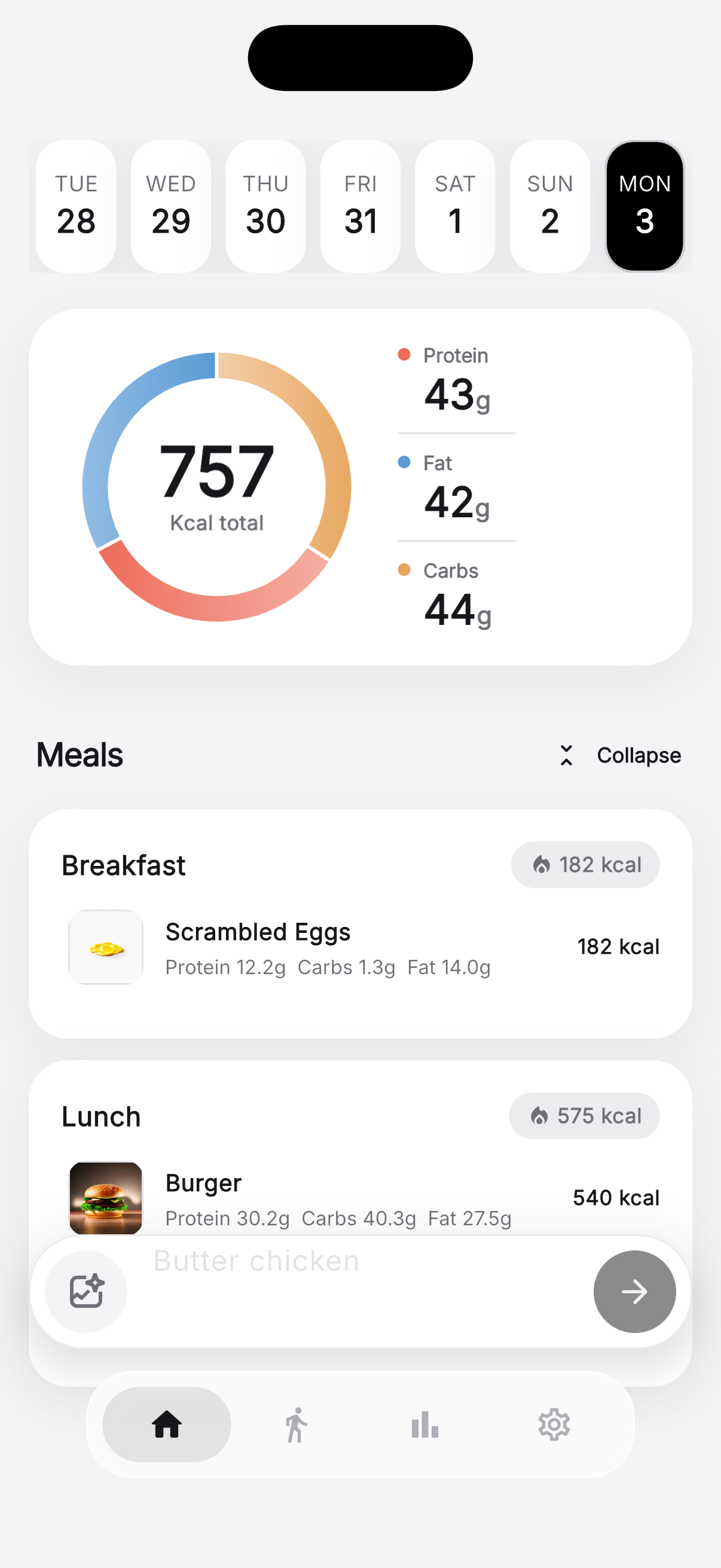
Zuli opens on today. A swipeable week strip sits at the top, a macro ring shows the day's 757 kcal total split into 43 g protein, 42 g fat and 44 g carbs, and below it every meal is grouped by type — Breakfast at 182 kcal, Lunch at 575 kcal — with each food's own calories and macros on its row.
The bar pinned to the bottom is the fastest way to log: type something like “Butter chicken” in plain English, or tap the photo button to let the AI read the meal straight off a picture.
View full-size screenshot →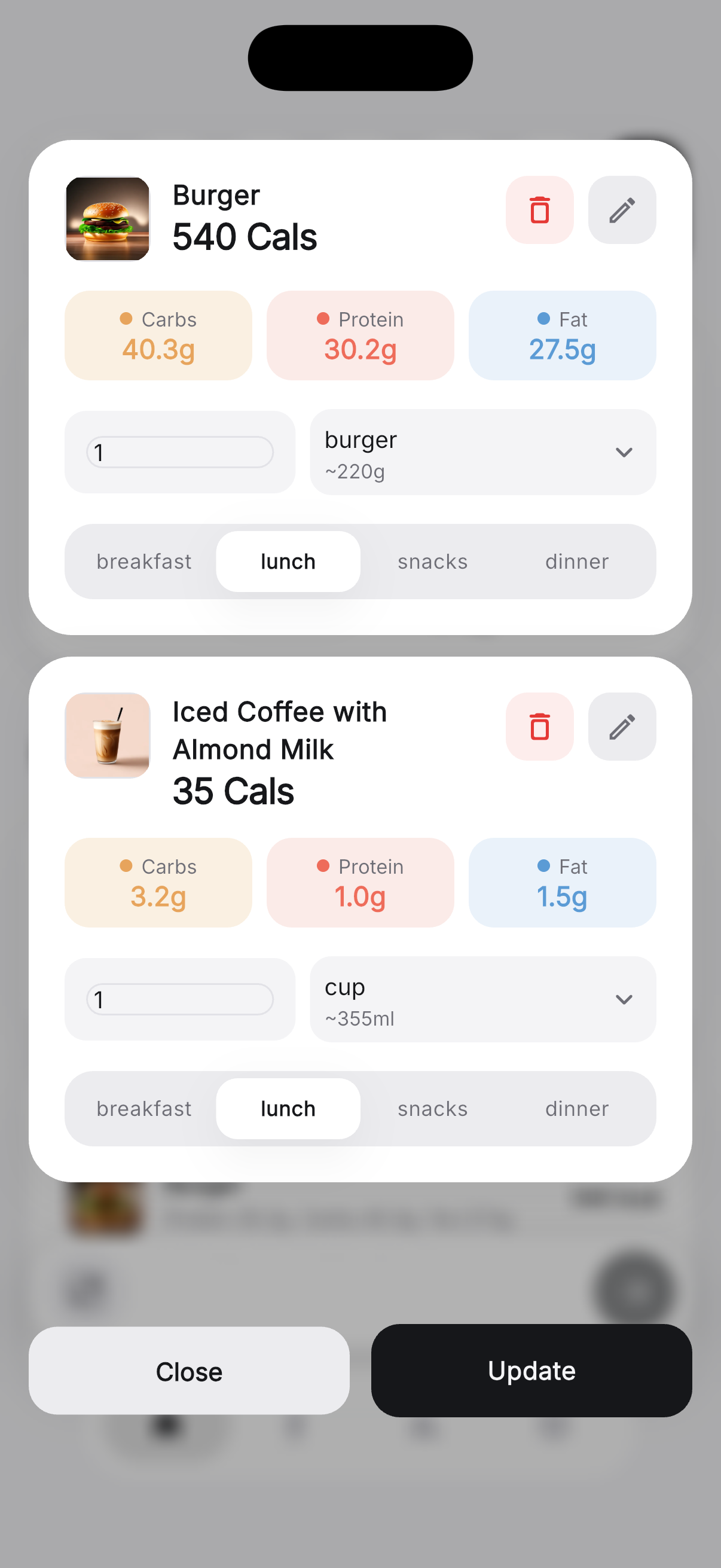
The AI guesses — you get the final say
After Zuli identifies a meal, every item lands in an editable card: 540 calories for the burger, with carbs 40.3 g, protein 30.2 g and fat 27.5 g shown as colour-coded chips. Change the quantity, switch the unit between a serving and grams or millilitres, move the item to a different meal, or delete it outright.
Because the portion and the unit are linked, correcting “1 burger (~220 g)” to a real weight recalculates the calories and every macro instantly — no re-searching a food database.
View full-size screenshot →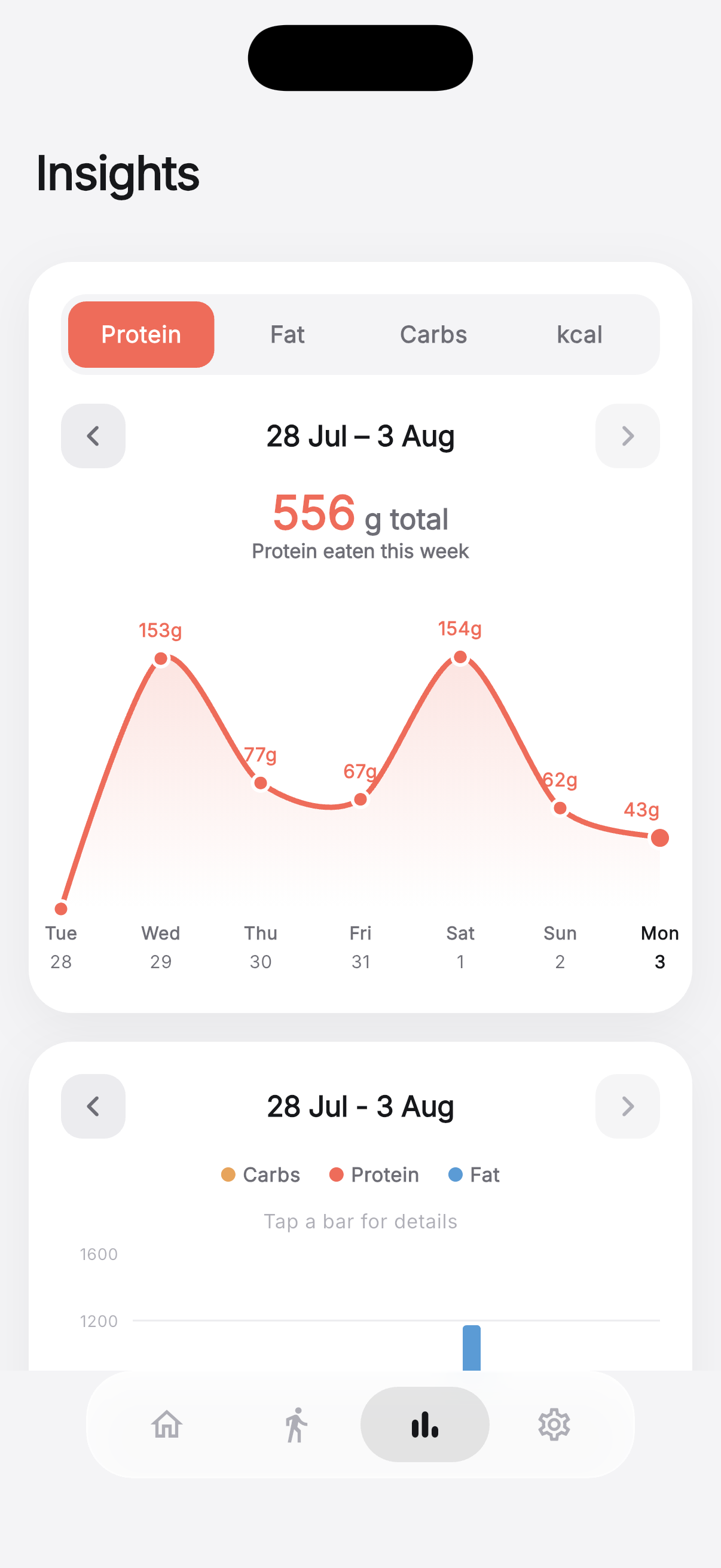
Track one nutrient at a time
The Insights tab switches between Protein, Fat, Carbs and kcal. The protein view totals 556 g for 28 Jul – 3 Aug and labels every point on the curve — 153 g on Wednesday, 154 g on Saturday, 43 g on Monday — so a week of under-eating protein is impossible to miss.
Arrows on either side of the date range step back through previous weeks, and the chart redraws from your locally cached logs, so it works even offline.
View full-size screenshot →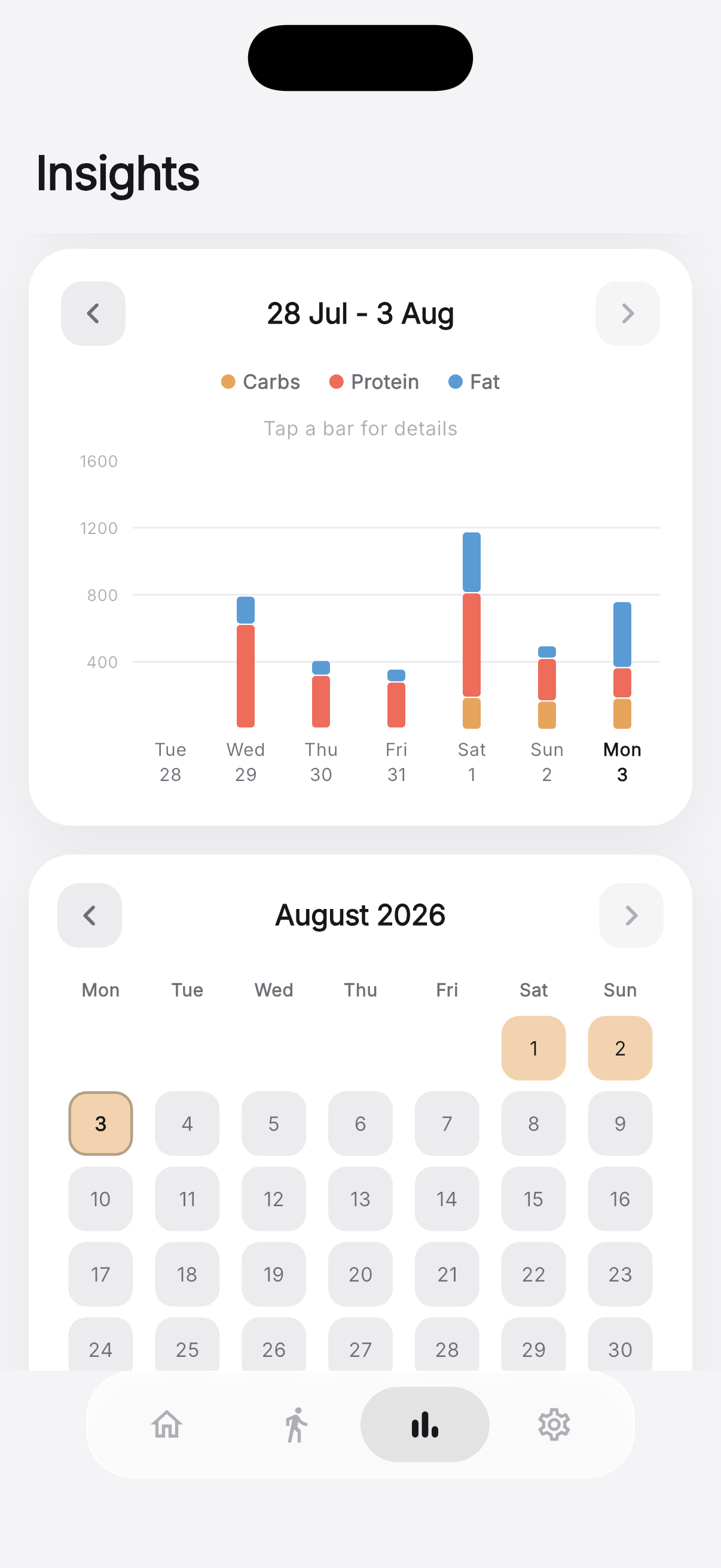
See the split, then see the streak
A stacked bar for each day breaks the week into carbs, protein and fat against a calorie axis — tap any bar for that day's detail. Saturday's 1,191 kcal towers over Friday's 356 kcal, and the colour bands show exactly which macro caused it.
Underneath, a month calendar highlights every day you actually logged. It doubles as a consistency check: gaps are as informative as the numbers.
View full-size screenshot →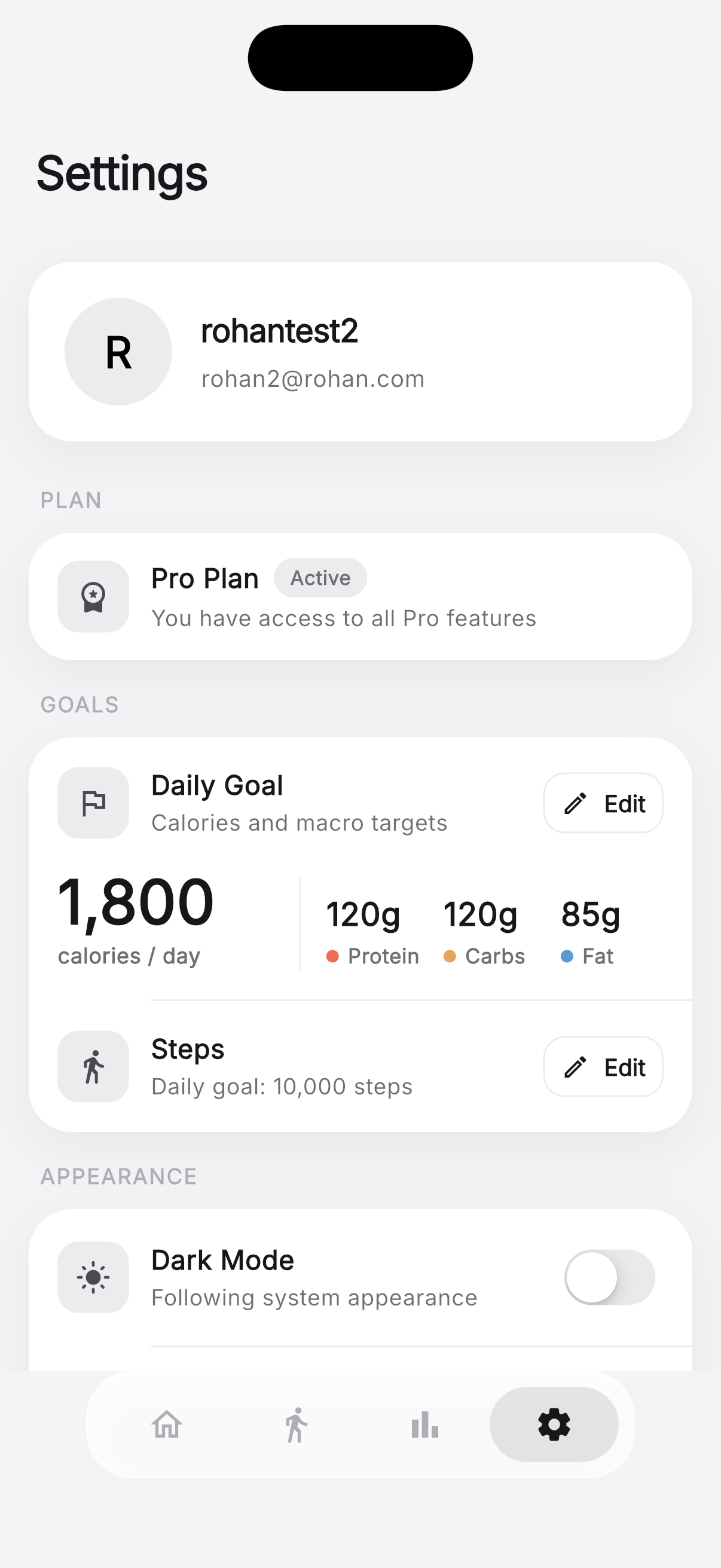
Calorie, macro and step targets you control
Your daily goal is a single card: 1,800 calories/day with 120 g protein, 120 g carbs and 85 g fat. Zuli calculates a starting point from your onboarding answers, and Edit lets you override any of it — useful for a cut, a bulk, or a coach-provided plan.
A separate 10,000 step daily goal drives the Steps tab, and the appearance section can follow your system theme or lock the app to light or dark.
View full-size screenshot →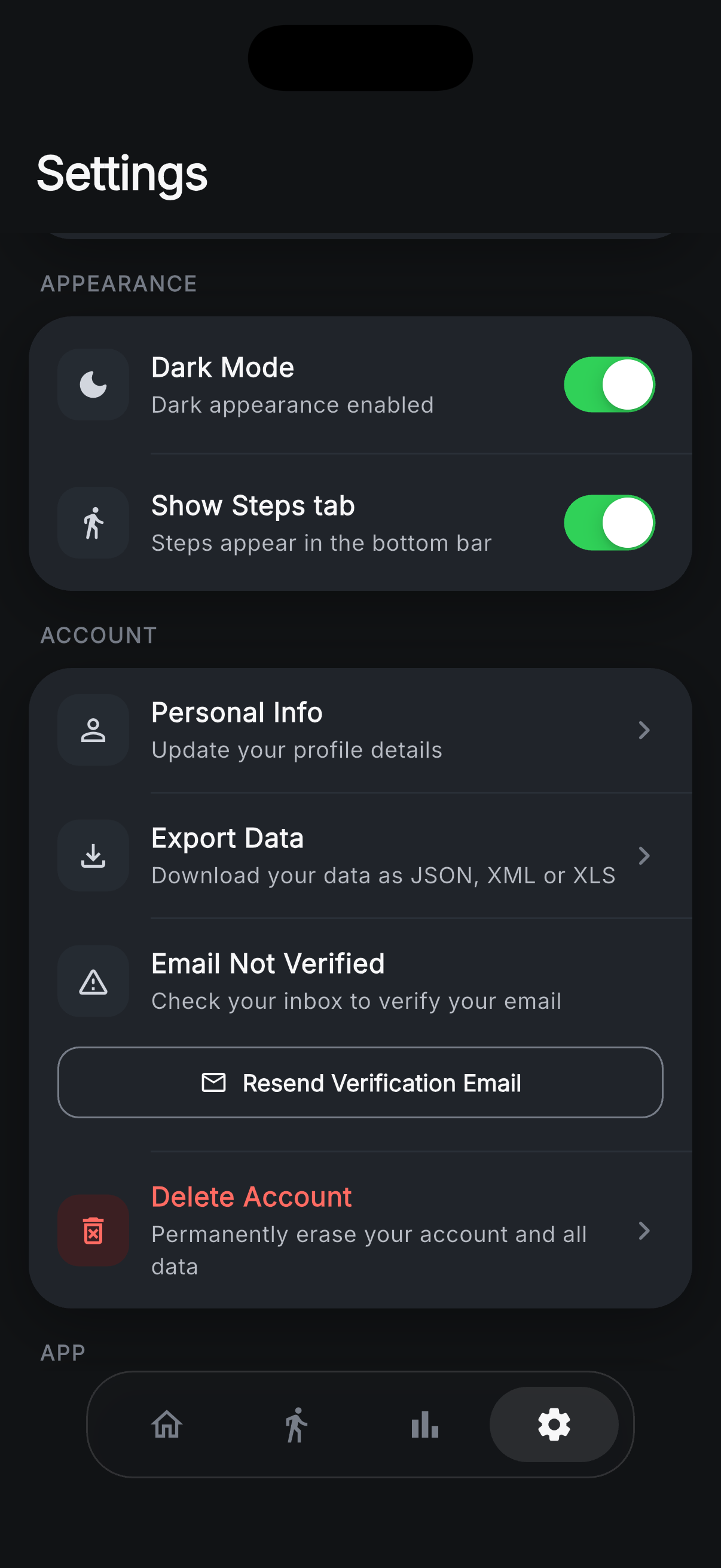
Export it, or erase it — from inside the app
Zuli keeps the data controls where you can reach them. Export Data downloads your full food history as JSON, XML or XLS, so nothing is trapped in the app. Personal details stay editable, and an unverified email is flagged with a one-tap resend.
Delete Account permanently erases the account and every record attached to it — no support ticket, no waiting. You can also hide the Steps tab entirely if you don't want step tracking in the bottom bar.
View full-size screenshot →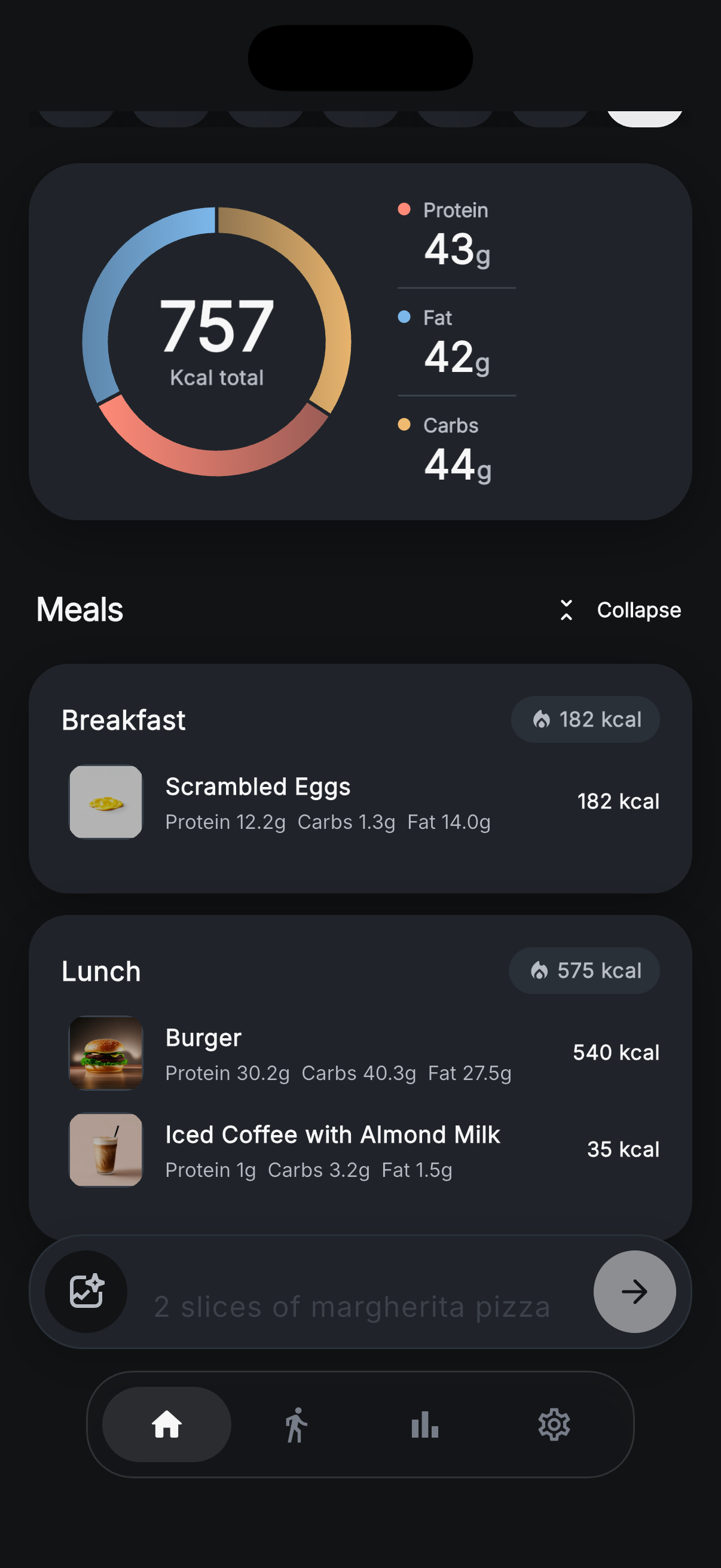
A dark theme built for late-night logging
Every screen in Zuli is designed twice. The dark theme is a true near-black built for OLED phones, not a grey inversion — the same 757 kcal ring, the same macro colours, and meal cards that stay readable at 1 a.m.
Logging works identically here: type “2 slices of margherita pizza” and the AI resolves the portion, the calories and the full macro split before it hits the list.
View full-size screenshot →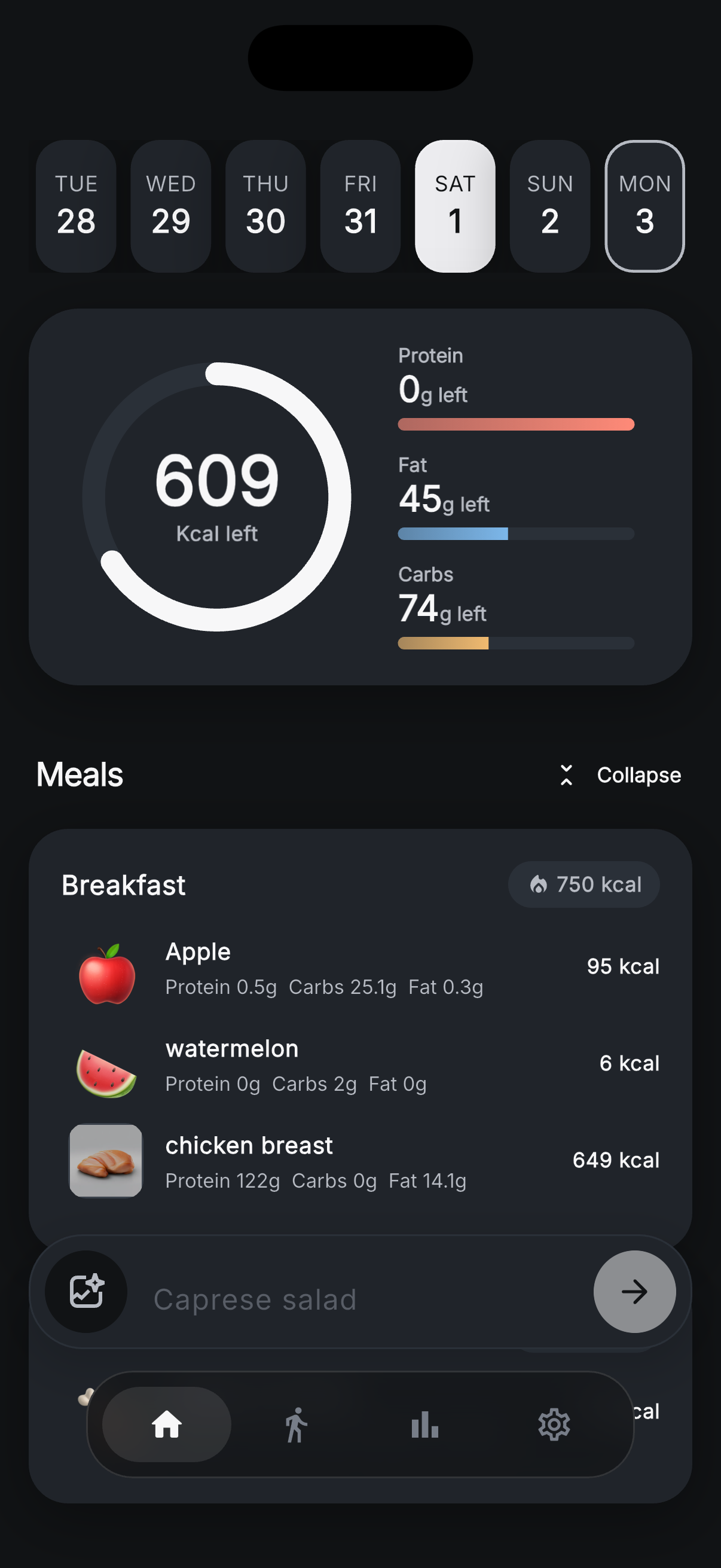
Know what's left, not just what's eaten
The ring flips to a countdown: 609 kcal left for the day, with a progress bar per macro — 0 g protein left (target hit), 45 g fat and 74 g carbs still available. It turns “what should I have for dinner?” into a two-second decision.
Foods keep their individual numbers underneath — apple 95 kcal, watermelon 6 kcal, chicken breast 649 kcal — so you can see which entry ate the budget.
View full-size screenshot →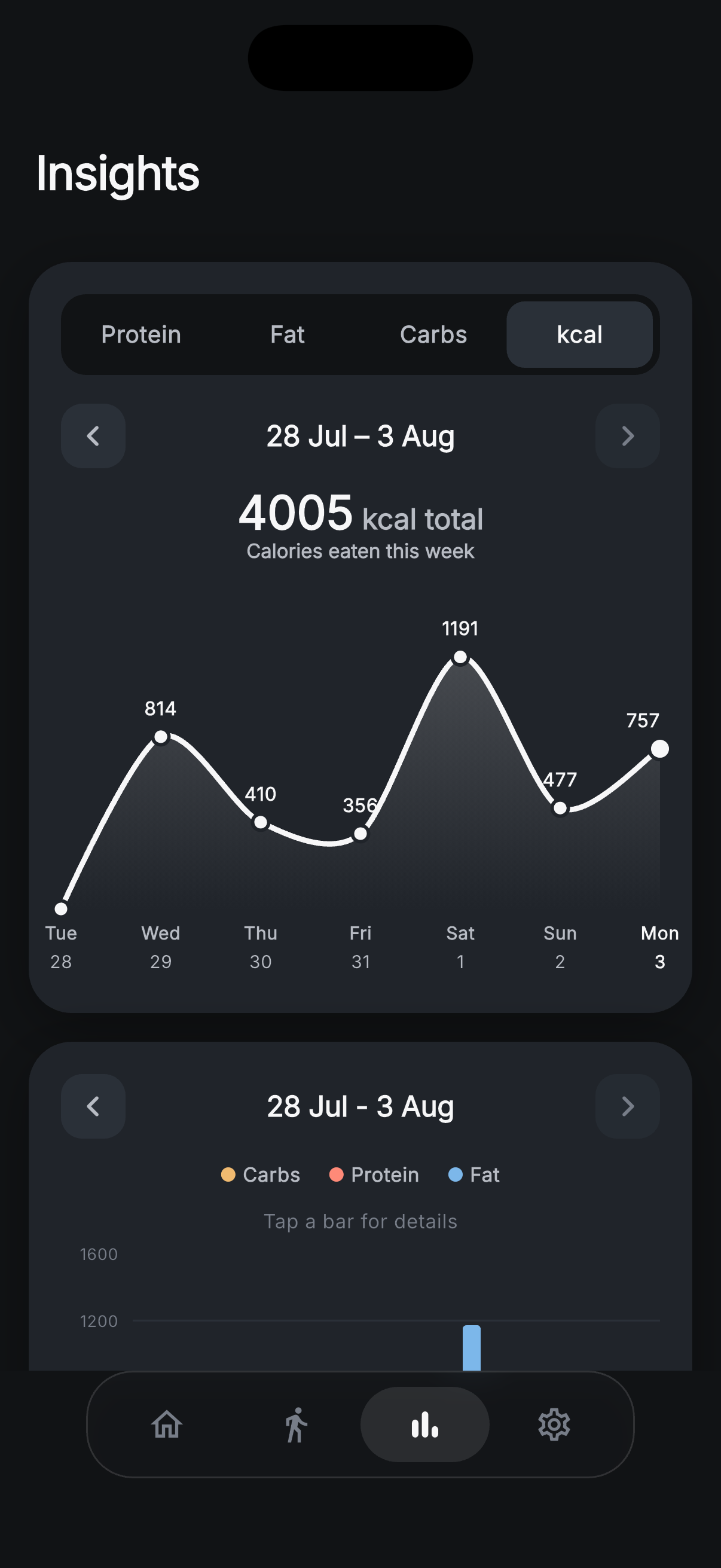
Weekly calories, day by day
The kcal view totals 4,005 calories for the week and plots each day — 814, 410, 356, a 1,191 kcal Saturday, 477, then 757. Weekly totals smooth out the noise that makes single days misleading.
Combined with the protein, fat and carb tabs, it's the whole picture of a week in four taps, and it renders in dark mode exactly as it does in light.
View full-size screenshot →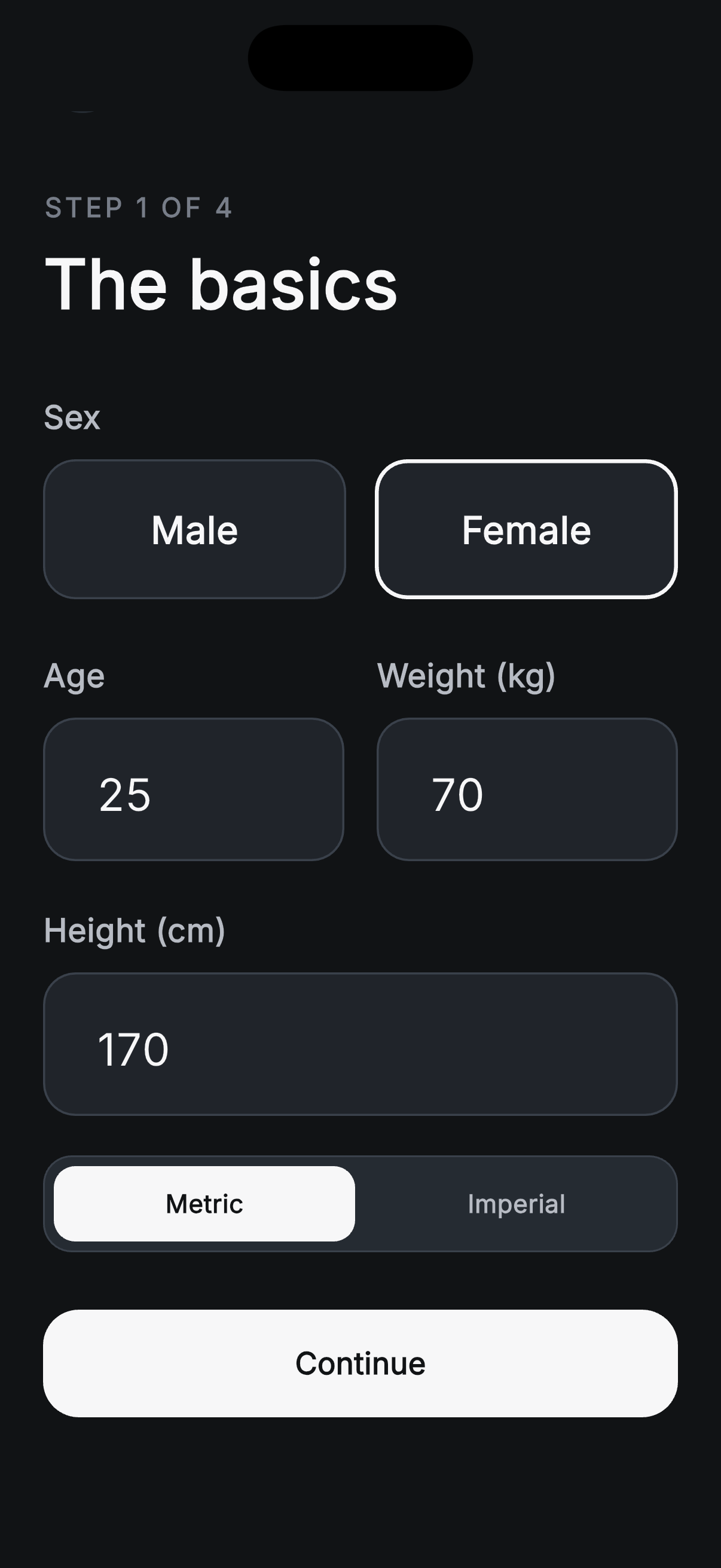
Set up in four steps, not four pages of forms
Zuli asks only what it needs to compute your targets. Step one — The basics — takes sex, age, weight and height, with a metric / imperial toggle so you can work in kg and cm or lb and ft.
The remaining steps cover activity level and your goal, and the calorie and macro numbers they produce stay editable in Settings forever after.
View full-size screenshot →